

Quickstart
Create your first agent, try it on your product and install the widget.
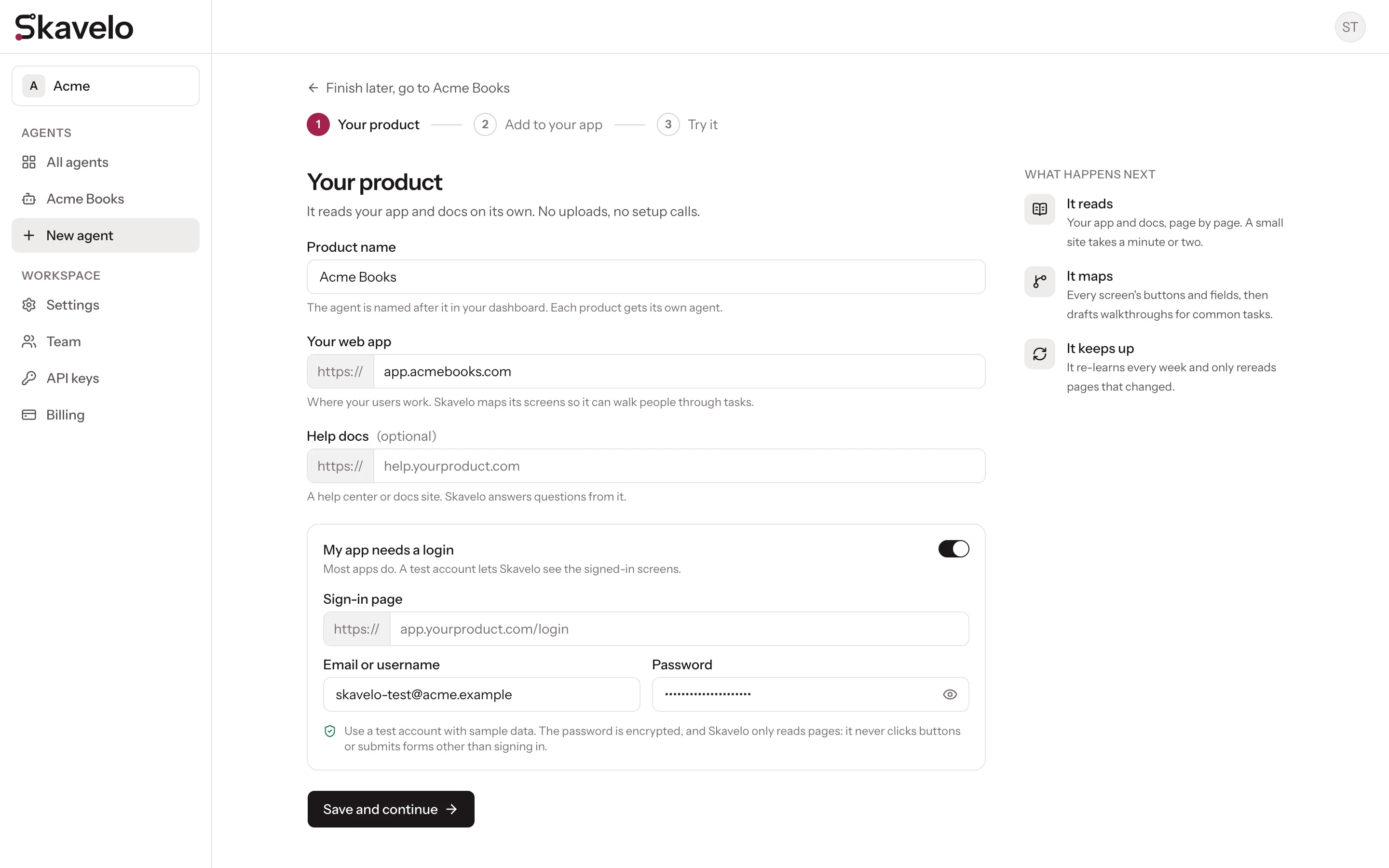
Signing up takes you straight into a three-step setup: Your product, Add to your app and Try it. You can leave at any point and finish later from the agent's pages.
Tell Skavelo about your product
Enter your product's name and the address of your web app, for example app.yourproduct.com. If you have a help center or docs site, add its address too.
If your app needs a login to see anything useful, turn on My app needs a login and enter a test account's email and password. Skavelo uses it to read the signed-in screens. Use a dedicated test account rather than a real user's; see Signed-in apps and test accounts.
When you continue, Skavelo starts learning in the background. A small site usually takes a minute or two.
Add the widget to your app
Copy the snippet for your platform and add it once to your app, typically just before </body> in your main HTML file. There are ready-made versions for React, Next.js, Vue, Nuxt, Svelte, Angular and Google Tag Manager.
If someone else manages your codebase, use Email the install steps to send them everything they need. The page confirms as soon as the widget loads on your site.
Full details: Install the widget.
Try it
Ask Skavelo a question about your product. You can also add a few suggestions, the prompts visitors can click instead of typing; Skavelo can draft them for you from what it learned.
What happens next
Skavelo keeps learning after setup. It re-reads your sites every week by default and only processes pages that changed. You can change the schedule, or trigger a run after each deploy; see Learning runs.
Recommended next steps
- Identify signed-in users, so answers fit each user's plan and role.
- Customize the widget to match your brand.
- Set up handoff, so users can reach your team when Skavelo can't help.