

Suggestions
Prompts visitors can click instead of typing, with rules for who sees each one.
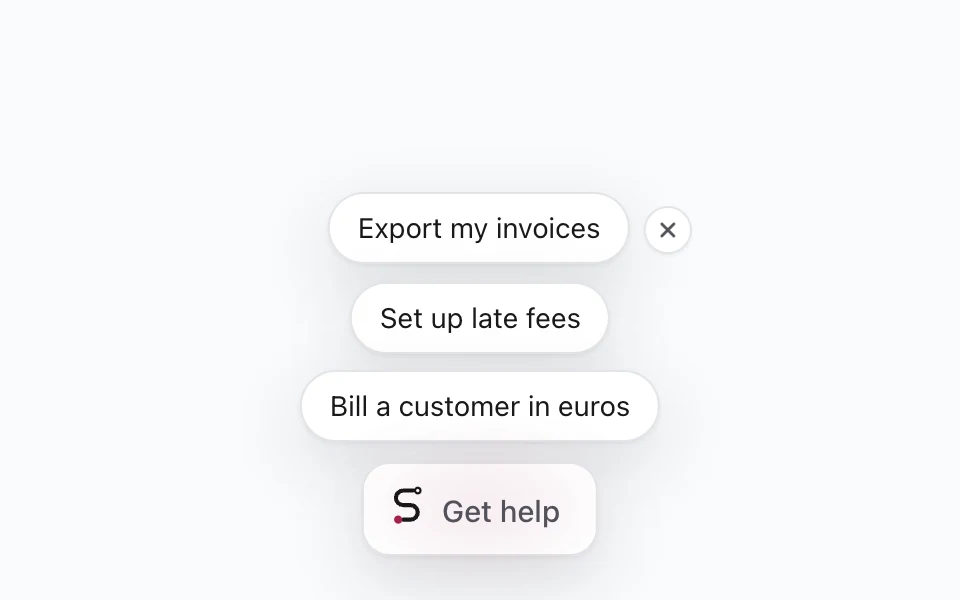
Suggestions are short prompts shown above the widget's launcher, before anyone opens it, and above the input once it's open. They help visitors discover what Skavelo can do, and they let you point people to your most important tasks.
Manage them on the agent's Suggestions tab.
How suggestions work
Each suggestion has two parts:
| Part | Who sees it | Example |
|---|---|---|
| Title | Visitors, on the widget. Up to 60 characters. | Set up late fees |
| Instruction | Only Skavelo. Up to 1,000 characters. | Walk them through turning on late fees for overdue invoices, step by step on screen. |
When a visitor clicks a suggestion, their conversation shows the title, and Skavelo follows the instruction. The instruction never reaches the visitor's browser.
Up to three suggestions show at a time, two on phones: the first ones in your list whose rules match the visitor. Visitors can hide them for the rest of their visit with the close button beside them.
Adding a suggestion
Click Add suggestion, enter a title and an instruction, then set its rules.
Or click Draft with AI, and Skavelo writes suggestions from what it learned about your product. Review and edit them before relying on them. An agent can have up to 20 suggestions.
Rules
Rules decide where a suggestion appears and who sees it. A suggestion with no rules shows to everyone, everywhere.
| Rule | Options |
|---|---|
| Sites | Every site, or only some. Shown when the agent runs on more than one site, for example billing on your homepage and your app on a subdomain with the same paths. |
| Pages | Every page, only these pages, or all except these. Use paths like /billing/*. |
| People | Everyone, signed in or signed out users, plus rules on what your app passes to identify, such as plan is not enterprise |
| Countries | Everywhere, only these countries, or all except these |
| Devices | All devices, desktop or phones |
People rules use the details from Identify signed-in users. Values are comma separated, and any one of them counts.
Ordering and turning suggestions off
Drag the handle on the left of a suggestion to change the order. Order matters: when more suggestions match than can be shown, the ones higher in the list win.
Use the switch on a suggestion to turn it off without deleting it. Changes save immediately and appear on your site on the next page load.
Writing good suggestions
- Use your users' words for the title. "Export my invoices" works better than "Invoice export functionality".
- Make the instruction specific. Tell Skavelo what to explain, show or do, for example "Walk them through exporting invoices to CSV from the Invoices page."
- Match suggestions to pages. A billing suggestion is most useful on billing pages.
See it in action
Examples and answers to common questions are on the Suggestions page on skavelo.com.