

Hand conversations to your team
Let users reach a person when Skavelo can't help, through your support chat, by email or with your own code.
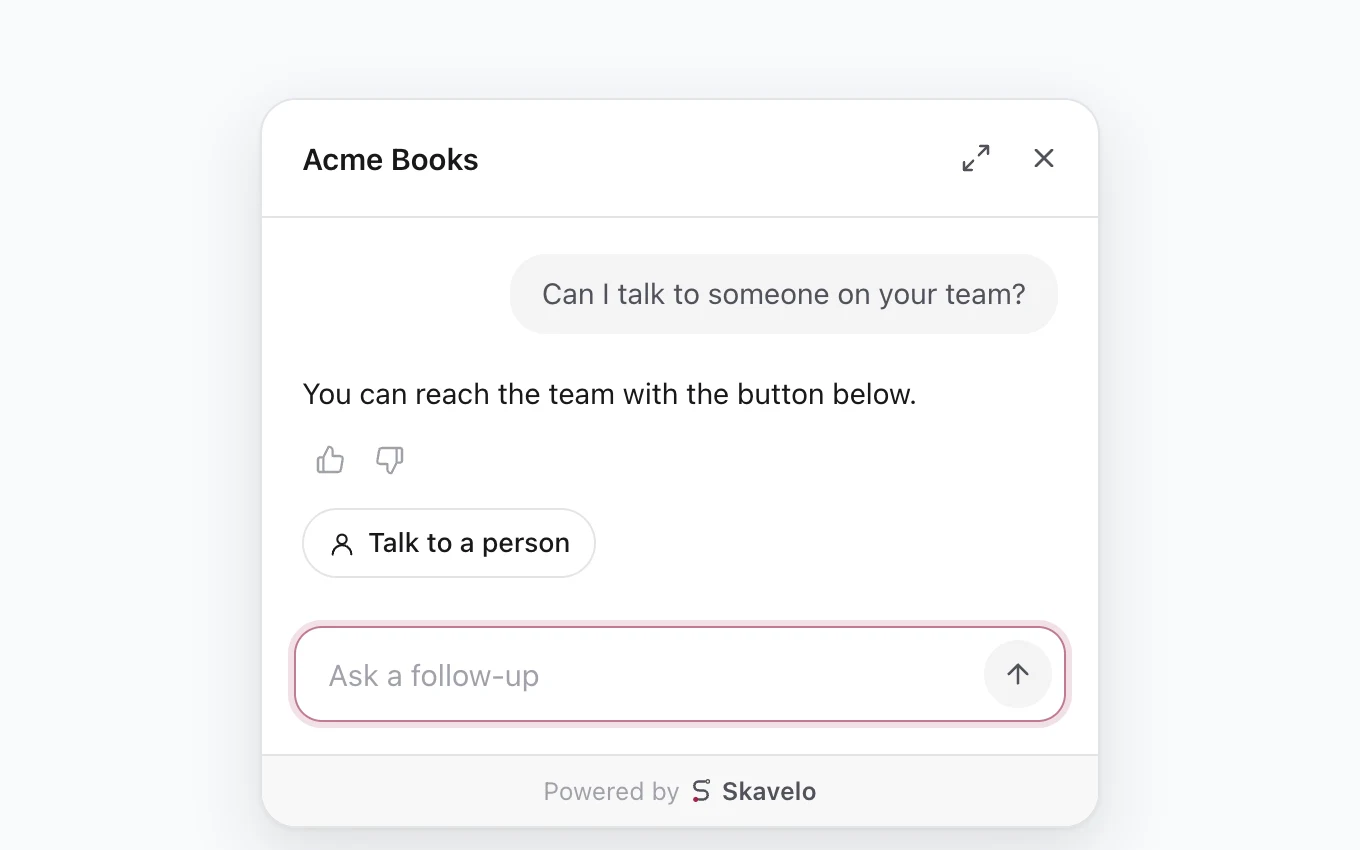
Handoff gives users a Talk to a person button when they need more help than Skavelo can give. Set it up on the agent's Settings tab, under Talk to a person.
When users see the button
Once handoff is on, Skavelo offers a person when a user:
- asks to speak with a person, a human or support;
- marks an answer as unhelpful;
- asks something Skavelo can't answer;
- reports a problem Skavelo can't explain, or one caused on your product's side.
The button only appears when there's a way to reach your team from that page.
Choose how users reach you
Skavelo opens the support chat that's already on your site. There's nothing to configure: it finds the chat on the page automatically.
| Chat tool | What happens to the user's question |
|---|---|
| Intercom, Crisp, Freshchat, Help Scout | Typed into the chat's message box, ready to send |
| Chatway | Sent to your team in the chat |
| Zendesk, HubSpot, Drift, LiveChat, Tawk.to, Tidio | The chat opens and the question is copied, so the user can paste it |
You can also add an email address as a fallback. On pages without a support chat, users can then reach you by email instead. Leave it empty to offer a person only on pages with a support chat.
What your team sees
Every handoff marks the conversation as handed off. In Conversations, filter by Handed off to see them all. Each transcript shows how the user was connected, why they asked for a person, and any email address and note they left.
When the user had reported a problem, the handoff also carries what Skavelo checked and the likely cause: in the email, in the message typed into your support chat, and in the handoff event. Your team starts from what's already known instead of asking the user to explain again.
Honest answers
With handoff on, Skavelo tells users they can reach the team with the button below. It never claims to have contacted anyone, and never invents a support email address or phone number.
See it in action
Examples and answers to common questions are on the Handoff page on skavelo.com.