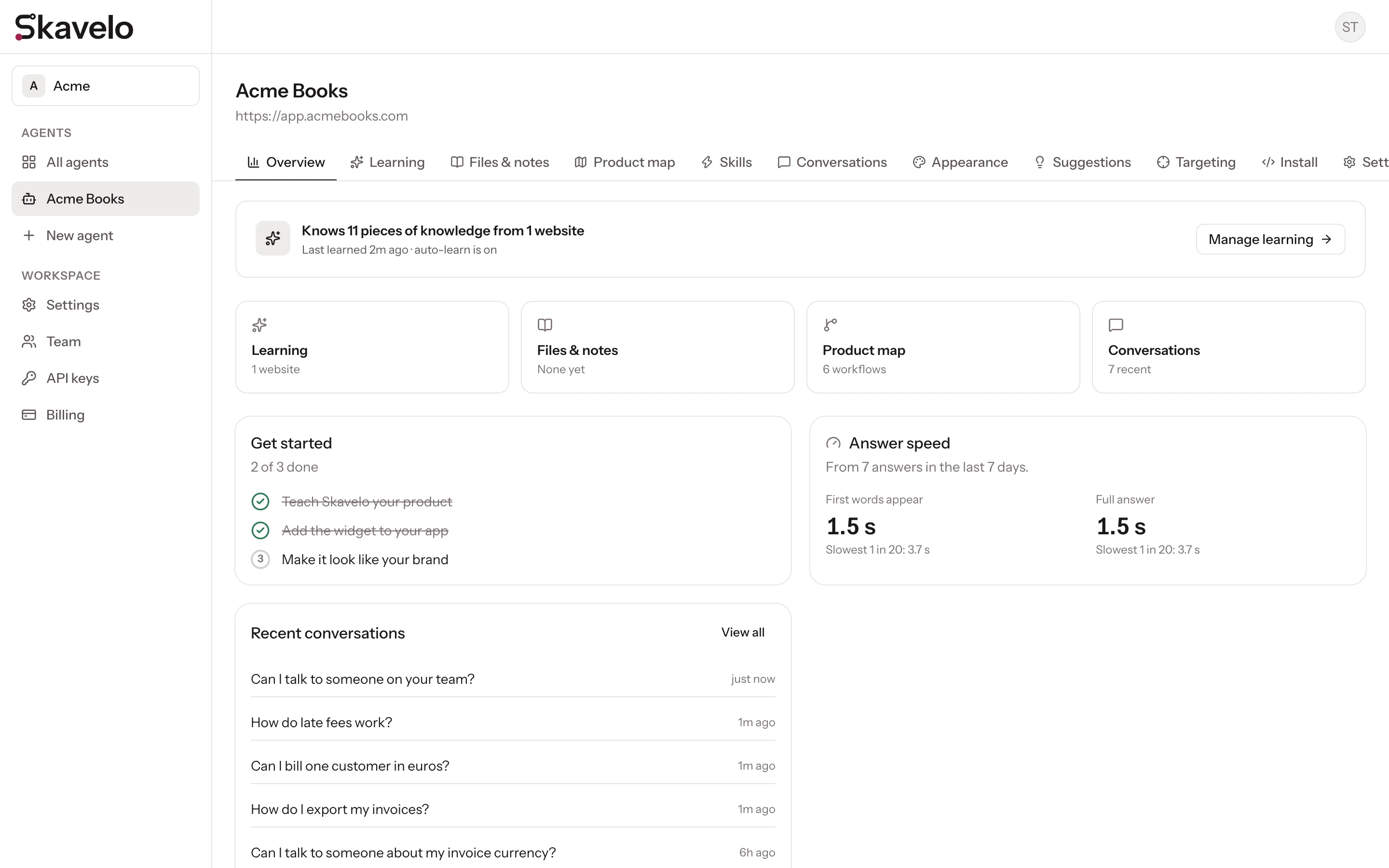
Dashboard tour
Where everything lives in the Skavelo dashboard.
The dashboard has two levels: your workspace, which holds your team, billing and API keys, and your agents, one for each product you set up.
The sidebar
| Item | What it's for |
|---|---|
| All agents | Every agent in the workspace, with its status |
| An agent's name | Opens that agent's pages |
| New agent | Starts the setup flow for another product |
| Settings | Your profile and account, and workspace settings |
| Team | Invite teammates and manage roles |
| API keys | Keys for your servers and deploy pipeline |
| Billing | Your plan, usage, extra conversations, cards and invoices |
To switch between workspaces, use the workspace menu at the top of the sidebar.
An agent's pages
Each agent has the same set of tabs. The main actions for each page, such as Save or Add suggestion, stay pinned below the tabs while you scroll.
| Tab | What you do there |
|---|---|
| Overview | See what Skavelo knows, recent conversations and answer speed |
| Learning | Add websites and your web app, and run or schedule learning |
| Files & notes | Upload documents and write team notes |
| Product map | Review the screens Skavelo mapped and edit walkthroughs |
| Skills | Set up lookups and actions Skavelo can carry out (your first one is free) |
| Conversations | Read every conversation and filter by user or outcome |
| Appearance | Colors, icon, position and highlight style, with a live preview |
| Suggestions | Prompts shown above the widget, with rules for who sees each one |
| Targeting | Choose which pages and users see the widget |
| Install | The snippet for your platform and your allowed sites |
| Settings | Rename the agent, set up handoff, or delete the agent |
app.skavelo.com