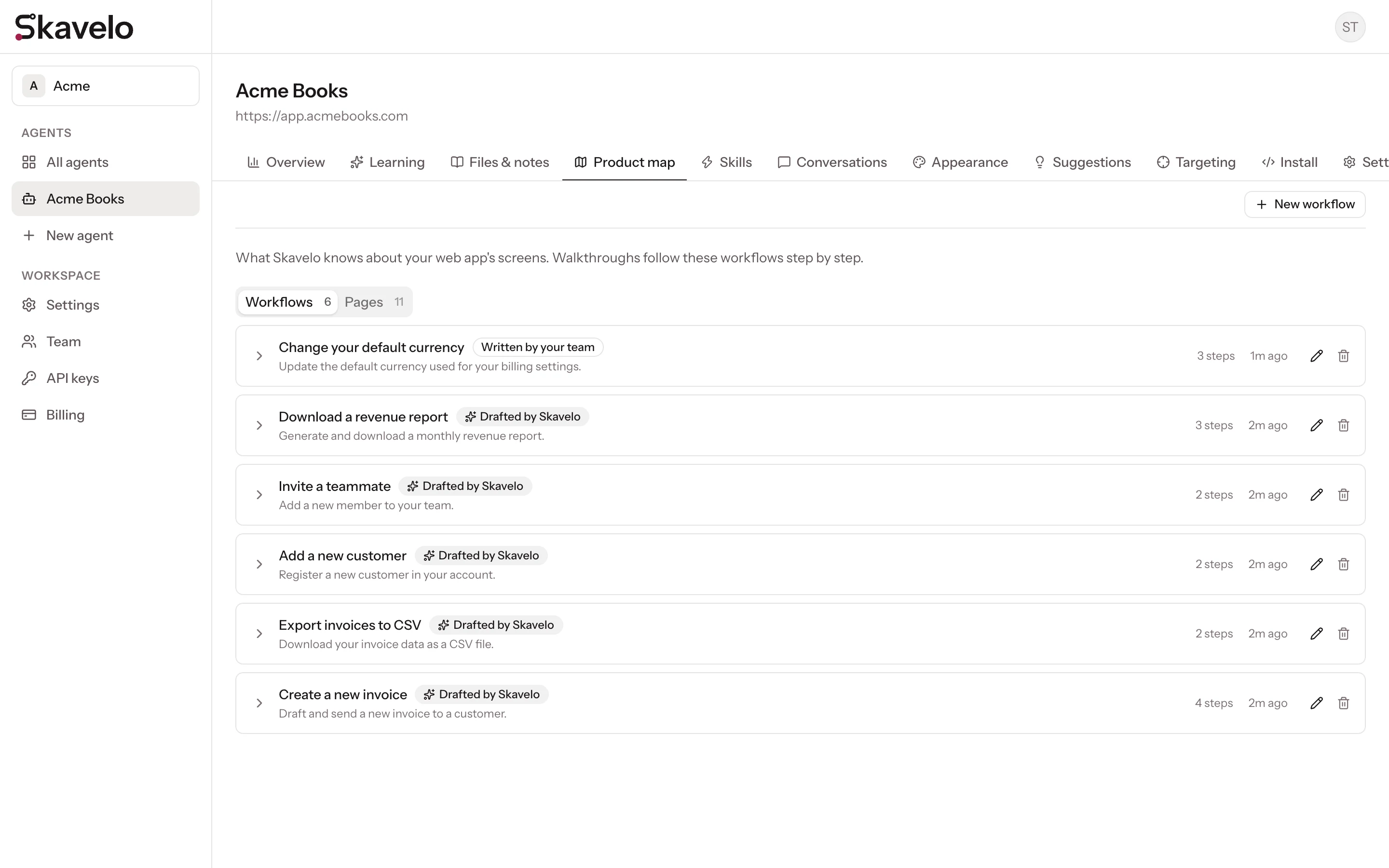
The product map
The screens and workflows Skavelo learned from your web app.
The Product map tab shows what Skavelo knows about your app's interface. It has two views.
Workflows
A workflow is a named task, such as "Create a new invoice", with the steps to complete it. Walkthroughs follow these steps in order.
Each workflow is labeled with where it came from:
| Label | Meaning |
|---|---|
| Drafted by Skavelo | Skavelo wrote it from the screens it mapped. Learning runs may redraft it as your app changes. |
| Written by your team | Your team created or edited it. Learning runs never redraft it. |
A workflow marked Needs a re-learn no longer matches your app, usually after a change to its screens. Skavelo doesn't offer it as a walkthrough until it's fixed. Run learning again so Skavelo can update its draft, or edit the workflow yourself.
Pages
Every screen Skavelo read in your app, with the buttons, links and fields it found on each one. Use this view to check that Skavelo reached the parts of your app that matter. If a screen is missing, check that it's reachable by following links from the address you added, and that it isn't excluded under Skip these paths.